9 Best POS Systems in Australia for 2026
Choosing the right POS system is critical for Australian businesses in 2026. This curated list of the 9 best POS systems compares features, pricing, and industry fit across retail, hospitality, and services. Explore modern solutions designed to boost efficiency, simplify operations, and support business growth with reliable local functionality nationwide.
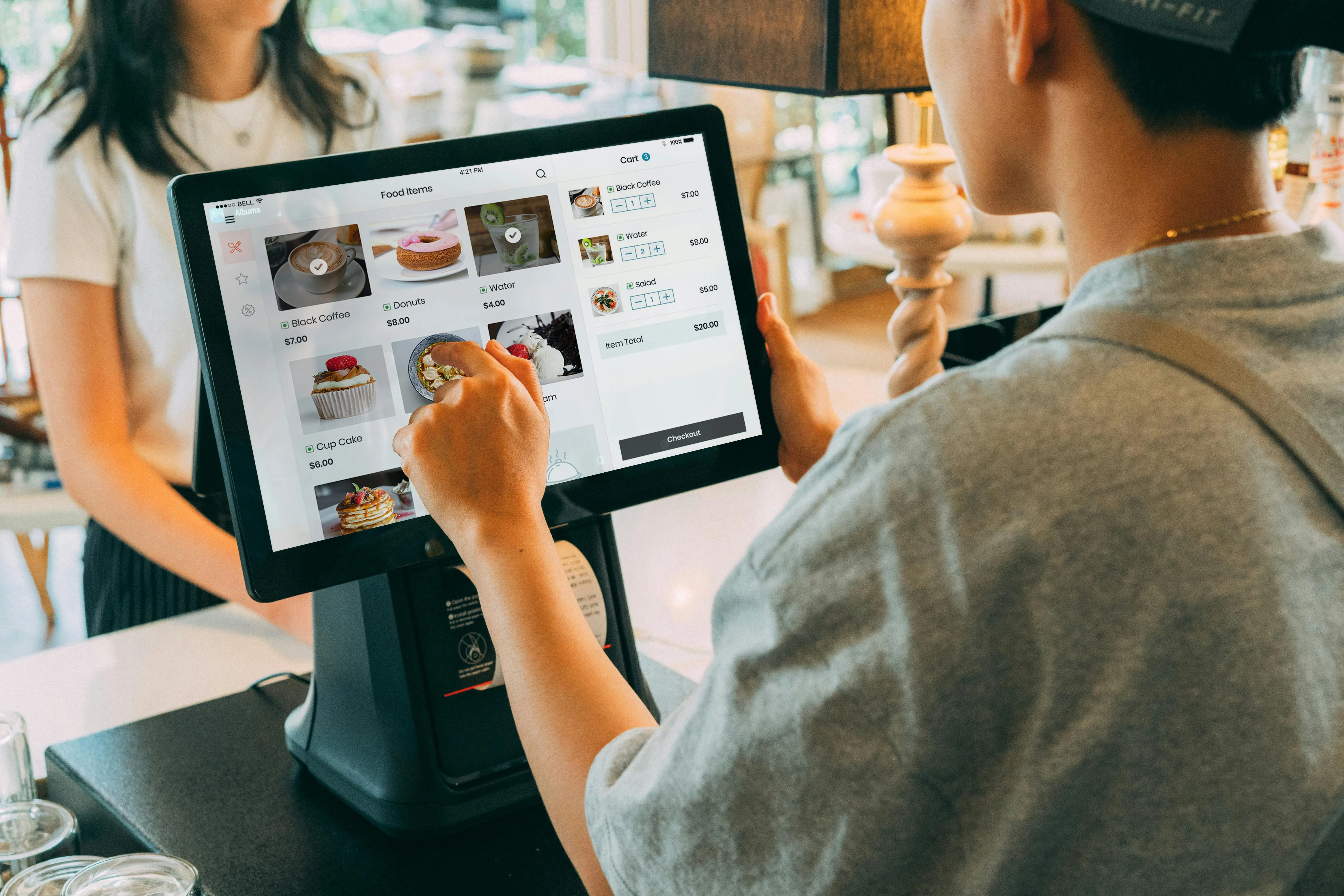
Best POS Systems in Australia —
Overview & Price Comparison
Choosing the best POS system in Australia is central to smooth operations, accurate reporting, and happy customers. It’s not just about taking payments—it’s about choosing a reliable platform that fits your daily workflows and supports how you sell today, and how you plan to grow tomorrow. Below is a detailed breakdown of some of the top POS systems available in Australia in 2026, what each does best, and typical pricing so you can compare at a glance.
POSApt- Relied on by Thousands of Restaurants Globally
Overview:
POSApt is an Australian-focused POS solution built for both retail and hospitality. It’s designed around local requirements, blending powerful functionality with flexible pricing and responsive local support. The system runs on iPads, Windows tablets, and desktop POS terminals, and is built with Australian tax rules, GST, and local payment providers in mind.

Key strengths:
- Tailored for Aussie businesses with built-in GST reporting
- Simple onboarding and intuitive interface
- Excellent local support and training
- Flexible plans that scale as you grow
Core features:
- Real-time inventory tracking and low-stock alerts
- Integrated customer loyalty and CRM tools
- Detailed sales, tax, and performance reporting
- EFTPOS integration with major Australian providers
- Offline mode so you can keep trading even if your internet drops
Pricing (typical):
- Retail plans from around AU$99 per month
- Free hospitality plan (software only) with competitive transaction fees (around 1.6%)
- Hardware sold separately but works with compatible tablets and terminals
Why it's #1?
POSApt offers a strong balance of power, local focus, and affordability, making it the best pos system in Australia for retailers and hospitality venues that want serious features without overly complex pricing.
Square POS — Best for small and mobile businesses
Overview:
Square is a globally trusted POS system that’s very popular with small retailers, market traders, food trucks, and solo operators. Its biggest advantage is simplicity: you can get started quickly, accept cards with minimal setup, and grow from there.

Overview:
Lightspeed is a feature-rich platform aimed at retailers and hospitality venues that need advanced inventory control, multi-location management, and in-depth reporting. It’s built for businesses that are growing and need more structure and visibility.
Key strengths:
- Strong SKU and variant support for complex catalogues
- Tools for managing multiple locations and channels
- Comprehensive reporting dashboards and analytics
Core features:
- Customer loyalty and marketing tools
- Purchase order workflows and supplier management
- Integrations with eCommerce platforms
- Menu and floorplan tools for hospitality setups
Pricing (typical):
- Retail plans from around AU$129 per month
- Hospitality plans vary depending on modules and locations
- Hardware priced separately
Why it's great?
Lightspeed shines when you’ve moved beyond basic point of sale needs and want advanced inventory, reporting, and multi-site control without building your own tech stack.
Lightspeed POS — Best for growing retail and restaurants
Overview:
Lightspeed is a feature-rich platform aimed at retailers and hospitality venues that need advanced inventory control, multi-location management, and in-depth reporting. It’s built for businesses that are growing and need more structure and visibility.

Key strengths:
- No monthly software fees on the core POS
- Works smoothly on tablets and mobile devices
- Excellent fit for pop-ups, market stalls, and mobile service providers
Core features:
- Basic inventory and customer management
- Integrated reporting and sales summaries
- Invoicing and online store add-ons
- Support for card, contactless, and mobile wallet payments
Pricing (typical):
- Software: Free core POS
- Transaction fees: around 1.6% per card payment
- Hardware: Square Reader (around AU$65), Square Terminal (around AU$329), plus optional printers and stands
Why it's great?
Square is ideal if you want to keep fixed costs low but still look professional at the checkout. It’s especially strong for micro and small businesses that need flexibility and portability.
Shopify POS — Best for omni-channel retailers
Overview:
Square is a globally trusted POS system that’s very popular with small retailers, market traders, food trucks, and solo operators. Its biggest advantage is simplicity: you can get started quickly, accept cards with minimal setup, and grow from there.

Key strengths:
- Unified online and in-store inventory
- Built-in eCommerce platform with strong app ecosystem
- Flexible POS hardware options for counters, pop-ups, and events
Core features:
- Integrated online store and marketplace tools
- Customer profiles and marketing automations
- Gift cards, discount codes, and digital receipts
- Support for local pickup, shipping, and click-and-collect
Pricing (typical):
- Plans from around AU$42 per month plus payment fees
- POS Pro add-ons for more advanced in-store features
- Hardware (readers, docks, terminals) sold separately
Why it's great?
Shopify is a strong choice if your priority is seamless integration between your physical shop and your online channels, and you want one system to manage it all.

EPOS Now — Best for scalable retail and multi-site management
Overview:
EPOS Now serves mid-sized retailers and multi-location operators with solid tools for inventory, staff, and reporting. It’s built to handle single stores today and chains tomorrow.
Key strengths:
- Scales from single sites to multi-store setups
- Cloud-based with offline capability for resilience
- Good ecosystem of add-ons and integrations
Core features:
- Staff performance and time-tracking analytics
- Purchase ordering and supplier integrations
- Access to a third-party app marketplace
- Customisable dashboards and reports
Pricing (typical):
- Entry-level plans are competitively priced, with hardware extra
- Optional add-ons for loyalty, online ordering, and more
Why it's great?
EPOS Now is a good fit if you want a cloud POS that can grow with you and support a range of workflows as you add locations or departments.
Hike POS — Best for multi-channel retails
Overview:
Hike is designed for modern retailers who sell in-store, online, and through marketplaces. It offers flexible deployment and strong stock management across channels.

Key strengths:
- Excellent eCommerce and marketplace sync
- Advanced variant and bundle support
- Works across platforms including iPad, PC, and Mac
Core features:
- Barcode label printing and product tagging
- Customer loyalty and promotion tools
- Comprehensive reporting and sales insights
- Integrations with platforms like Shopify and others
Pricing (typical):
- Subscription tiers scale with features, outlets, and registers
- Hardware purchased separately or used with existing devices
Why it's great?
Hike is a strong option for retailers who want one system to keep store, online, and marketplace sales tightly aligned with accurate inventory.

Abacus POS — Designed for hospitality
Overview:
Abacus focuses squarely on cafés, quick-service venues, and restaurants, with workflows built around tables, orders, and fast-moving service.
Key strengths:
- Intuitive hospitality interface for front-of-house staff
- Fast order entry and kitchen routing
- Quick and flexible bill splitting
Core features:
- Table management and ordering tools
- Kitchen display systems and docket printing
- Basic loyalty and customer tracking options
Pricing (typical):
- Subscription-based pricing with different tiers for venue size and features
- Hardware and installation priced separately
Why it's great?
Abacus is built for speed and service, making it a good fit for busy cafés and smaller restaurants that need efficient table and counter workflows.
Gloposnet — Australian restaurant and bar specialist
Overview:
Gloposnet focuses on Australian restaurants, bars, and full-service venues, bringing local support and deep hospitality features to the table.

Key strengths:
- Local service, onboarding, and customisation
- Integrations with delivery and ordering partners
- Strong reporting tailored for hospitality metrics
Core features:
- Kitchen display and bar printing setups
- Menu and modifier management
- Delivery and takeaway integrations
Pricing (typical):
- Custom quotes based on venue size and requirements
Why it's great?
Gloposnet is well suited to full-service hospitality venues that want local expertise, customisation, and strong support alongside their POS.
Zettle by PayPal — Best simple POS for sole traders and micro businesses
Overview:
Zettle by PayPal (formerly iZettle) is a lightweight, easy-to-use POS system built with sole traders, freelancers, and very small businesses in mind. It’s particularly popular with independent retailers, market vendors, salons, and service providers who need reliable card payments without complex setups.

Key strengths:
- Backed by PayPal’s trusted payment infrastructure
- Extremely easy to set up and start using
- Ideal for low-volume or part-time sellers
- Portable, mobile-friendly hardware
Core features:
- Simple product and inventory management
- Sales tracking and basic reporting
- Integration with the wider PayPal ecosystem
- Mobile card reader with contactless support
- Digital receipts and tipping options
Pricing (typical):
- Software: Free
- Transaction fees: roughly 1.6–1.75% per card payment
- Hardware: Card reader from around AU$79
- No monthly subscription fees
Why it's great?
Zettle is perfect if you want a no-frills point of sale (POS) that just works. While it doesn’t offer advanced inventory or multi-location tools, it’s an excellent entry-level option for individuals and micro businesses that value simplicity, mobility, and transparent pay-as-you-go pricing.
By weighing these POS options and their strengths against your own business needs, you can shortlist systems that not only keep the till ringing, but also support growth, efficiency, and a better experience for your customers in the long term.
What Is a POS System?
A POS system—short for Point of Sale system—is the smart checkout brain of modern selling. It’s where customers pay for goods or services, and for business owners, it’s the central hub where sales data, inventory tracking, customer records, and payment processing all come together in one integrated place. Instead of clunky old cash registers, a POS system uses connected software and hardware—like touchscreens, card readers, barcode scanners, printers, and even mobile devices—to record every sale, update stock levels in real time, and generate professional receipts.
But a modern POS is more than just a payment terminal. It often plugs into customer loyalty programs, e-commerce platforms, employee scheduling tools, and accounting systems, so your entire business tech stack works in sync instead of in silos. By automating repetitive tasks, it reduces human error, speeds up checkouts, and gives you clear, actionable insights. You can quickly see which products sell best on certain days, track staff performance, spot trends, and keep online and in-store inventory aligned.
In Australia’s competitive retail and hospitality landscape, the point of sale software you choose can quietly become one of your most important business decisions. The right system helps operations run smoothly, keeps staff happier and more efficient, and delivers a faster, more seamless experience for customers at the counter, at the table, or online.
Key Features to Look for in the Best POS System in Australia
Choosing a POS (point of sale) system isn’t just about processing transactions—it’s about finding a reliable platform that fits into your business’s daily rhythm and actually makes running it easier. In Australia’s fast-moving retail and hospitality environments, the best POS systems share a few core features that are worth paying close attention to when you’re comparing options.
Easy payment processing
The primary job of a point of sale system is to accept payments quickly and securely. Look for support for EFTPOS, contactless, mobile wallets, and gift cards so customers can pay the way they prefer. Integration with multiple payment partners (like Tyro, Square, and Zeller) gives you flexibility on fees, hardware, and settlement times as your business evolves.
Inventory management
Real-time stock tracking helps you avoid both out-of-stock moments and expensive overordering. The strongest systems let you set automatic reorder alerts, manage variants such as size and colour, and track products across multiple locations or channels. If you run a complex retail business, deep inventory tools can become one of your biggest operational advantages.
Reporting and analytics
A good POS system doesn’t just log transactions—it turns them into actionable insights. Built-in reports on sales trends, busiest hours, top-performing products, and customer behaviour give you a clearer view of what’s working. With that data, you can forecast demand more accurately, optimise staffing, and plan promotions around real numbers instead of guesses.
Cloud access and remote management
Cloud-based POS solutions let you check sales, update menus or product catalogues, and adjust pricing from anywhere with an internet connection. For multi-location businesses or owners who aren’t always on site, remote access is invaluable. It means you can respond faster to issues, roll out changes consistently, and stay on top of performance in real time.
Loyalty and CRM tools
Customer loyalty programs, membership tracking, and automated marketing are powerful drivers of repeat business. Look for built-in customer profiles, purchase histories, and reward features that support personalised offers and campaigns. When your POS doubles as a lightweight CRM, every transaction becomes a chance to build a longer-term relationship.
Integrations with third-party tools
Seamless syncing with accounting platforms (such as Xero or MYOB), e-commerce platforms (like Shopify), delivery services, or booking software keeps your data flowing smoothly. This reduces manual data entry, cuts down on errors, and gives you a more accurate, unified picture of your operations. The more your POS can plug into your existing stack, the more time you get back.
User experience and support
A clean, intuitive interface reduces training time for new staff and lowers the risk of mistakes during busy periods. It should feel simple to use at the counter, even for casual or seasonal workers. Strong, responsive support—especially from providers that understand Australian business needs and regulations—is crucial when things go wrong and you need help fast.
Scalability
Your POS should be able to grow alongside your business. Whether you’re opening new locations, adding tablets for staff, or introducing features like table management, online ordering, or self-service kiosks, choose a system that supports upgrades and additional modules. Scalability means you won’t have to rip everything out and start again just because you’ve grown.
Cost transparency
Clear, transparent pricing makes it easier to plan and protect your margins. Pay attention to monthly software subscriptions, hardware costs, add-on modules, and transaction fees so you understand the true cost of ownership. Many Australian POS providers offer tiered plans, which can help you start lean and step up as your volume and requirements increase.
By weighing these features against your specific business needs, you’re far more likely to choose a POS system that not only keeps the register ringing, but also supports growth, boosts efficiency, and helps you deliver a better, more consistent experience for your customers.
Best POS Systems in Australia
by Business Type
Different businesses have different POS needs. A café’s priorities are very different from a retail store or a food truck. Below is a breakdown of the best POS systems in Australia by business type, with practical explanations to help you choose confidently.
Small businesses need the best POS system that is affordable, easy to use, and flexible enough to grow without becoming overwhelming.
1. POSApt — Best Overall for Small Businesses
POSApt is ideal for small Australian businesses thanks to its simple setup, local support, and flexible pricing. It offers strong core features—inventory, reporting, and EFTPOS integration—without forcing you into expensive long-term contracts. The free hospitality plan and scalable retail pricing make it especially attractive for startups.
2. Square POS
Square is a favourite among small operators who want to avoid monthly software fees. It’s easy to set up, works well on mobile devices, and is perfect for low-volume sellers or businesses just starting out.
3. Zettle by PayPal
Zettle suits sole traders and micro businesses that need a basic, reliable POS with strong payment processing. It’s simple, portable, and best for businesses that don’t require advanced inventory features.
Restaurants and cafés rely on speed, accuracy, and smooth kitchen workflows. A good hospitality POS reduces errors and keeps service running efficiently.
1. POSApt — Best for Cafés & Small Restaurants
POSApt performs exceptionally well in hospitality environments. It supports fast order entry, table management, kitchen workflows, and EFTPOS integration. Its free hospitality software plan is a major advantage for cafés and restaurants managing tight margins.
2. Lightspeed Hospitality
Lightspeed is a strong choice for busy venues that need detailed menu management, modifiers, and reporting. It’s well suited for growing restaurants that want deeper insights into sales and performance.
3. Gloposnet
Gloposnet is built specifically for Australian hospitality businesses. It offers strong integrations with delivery platforms, kitchen display systems, and detailed reporting, making it ideal for full-service restaurants.
Retailers need strong inventory management, barcode scanning, and accurate reporting to stay competitive.
1. Lightspeed Retail
Lightspeed excels in retail environments with complex inventory, product variants, and multi-store operations. It’s ideal for fashion, specialty retail, and high-SKU businesses.
2. Shopify POS
Shopify POS is perfect for retailers selling both online and in-store. Inventory syncs seamlessly across channels, making it a top choice for omnichannel retail businesses.
3. Hike POS
Hike is well suited for retailers that want flexibility across devices and strong stock management. It’s particularly useful for stores selling across multiple channels and locations.
Pubs and hospitality venues require fast service, tab management, and the ability to handle high transaction volumes.
1. POSApt — Best Value Hospitality POS
POSApt stands out for pubs and hospitality venues due to its reliability, local support, and flexible pricing. It handles high-volume service well and supports loyalty programs and detailed reporting.
2. EPOS Now
EPOS Now works well for pubs and bars with multiple terminals. It supports staff management, reporting, and integrations that help streamline busy service environments.
3. Abacus POS
Abacus is designed specifically for hospitality and offers a simple, fast interface that’s great for bars, cafés, and casual dining venues.
Multi-location businesses need centralised control, consistent reporting, and real-time inventory syncing.
1. Lightspeed POS
Lightspeed’s cloud-based platform makes it easy to manage multiple stores from one dashboard. Inventory, pricing, and reports stay consistent across all locations.
2. Shopify POS
Shopify POS is excellent for brands with multiple retail locations and an online store. Everything—from inventory to customer profiles—is synced in real time.
3. EPOS Now
EPOS Now offers flexible tools for chains and franchises, allowing business owners to manage locations independently or centrally as needed.
Food trucks need portability, fast payments, and reliability—especially when operating in outdoor or mobile environments.
1. Square POS
Square is the go-to choice for food trucks thanks to its mobile card readers, quick setup, and no monthly fees. It works well with limited space and changing locations.
2. POSApt
POSApt is a strong alternative for food trucks that want more reporting and inventory control than Square offers, especially if the business plans to expand into a permanent location later.
3. Zettle by PayPal
Zettle is lightweight and portable, making it ideal for smaller food trucks or seasonal vendors who want simple payment processing.
Free POS systems are great for startups and businesses testing the waters before committing to paid plans.
1. POSApt — Best Free Hospitality POS
POSApt offers a free hospitality software plan, which is rare in the Australian market. It’s ideal for cafés and restaurants that want professional features without monthly software costs.
2. Square POS
Square’s free POS software is one of the most popular options in Australia. You only pay transaction fees, making it excellent for low-volume or early-stage businesses.
3. Zettle by PayPal
Zettle provides free POS software with simple tools for selling and reporting, best suited for very small operations.
POS Hardware in Australia
POS hardware in Australia covers all the physical devices you use at checkout, and the setup you choose has a big impact on day-to-day efficiency. Typical components include touchscreen terminals or tablets, receipt printers, barcode scanners, cash drawers, and card readers. Basic card readers (such as compact mobile readers) usually sit in the AUD $65–$100 range, while more advanced, standalone POS terminals can run from roughly AUD $300 up to $1,500 or more, depending on features and durability. Receipt printers, barcode scanners, and similar peripherals generally add another AUD $100–$400 each, so it’s important to budget for the full hardware stack, not just the main screen or terminal.
Many modern POS systems in Australia allow you to bring your own tablet, which can significantly reduce upfront hardware costs—especially for small businesses, food trucks, and pop-ups. Larger venues, on the other hand, often benefit from integrated terminals and kitchen display systems that keep orders flowing smoothly between front-of-house and back-of-house. Restaurant and café setups commonly include kitchen printers or screen displays for orders, while retail environments get the most value from barcode scanners, label printers, and reliable cash drawers. Whatever your industry, choosing hardware that’s rugged, reliable, compatible with your POS software, and supported by local vendors is essential to minimising downtime and avoiding costly disruptions during service.

Point of Sale (POS) Integrations Australian Businesses Need
The right integrations can dramatically increase your POS system’s value by connecting it to the tools you already rely on day to day. For Australian businesses, some of the most useful options are:
- Accounting software (Xero, MYOB): Sync sales, expenses, and tax data seamlessly so your books stay up to date with less manual entry.
- E-commerce platforms (Shopify, WooCommerce): Unify in-store and online sales so inventory, orders, and customer data stay consistent across channels.
- Delivery and ordering (Uber Eats, DoorDash, Menulog): Particularly vital for hospitality venues that need online orders to flow straight into the POS instead of being handled separately.
- Staff management tools: Track hours, shift schedules, and payroll to simplify rostering and wage calculations.
- Loyalty and CRM: Build customer profiles, record purchase history, and reward repeat visits with points, discounts, or targeted offers.
Your integration choices should always match your existing workflows and priorities. Most leading POS providers offer a library or marketplace of compatible third-party apps, so it’s worth checking that your key accounting, e-commerce, and staffing tools are supported before you commit.
How to Choose the Right POS System for Your Business
Selecting the best POS system can feel like a big decision, but the right approach makes it manageable. Here’s a simple, step-by-step way to evaluate options that actually fit your business, rather than forcing your workflows to fit the software.
Choosing a POS isn’t just a technical purchase—it’s about improving daily workflows and creating better experiences for both staff and customers. When you align your choice with long-term business goals, not just short-term needs, your POS becomes a tool for growth instead of just another system to manage.
Define your priorities
Start with your main goals: do you need strong inventory tools, table management capabilities, loyalty features, or simply fast, reliable checkouts? Retail, hospitality, service, and mobile operations each have distinct must‑have features, so get clear on what matters most to you before comparing providers.
Think about scale
Consider where your business will be in one to three years, not just today. Smaller businesses often prioritise low upfront costs and ease of use, while multi-location operators need robust reporting, user permissions, and centralised controls. Cloud-based POS platforms make scaling much easier as you add locations, devices, or new sales channels.
Check hardware compatibility
Review what hardware you already own—tablets, printers, barcode scanners, cash drawers, EFTPOS machines—and confirm whether your chosen POS supports them. Reusing existing devices can save a lot on setup costs. If you’re starting from scratch, factor in the price of compatible terminals, scanners, stands, and card readers as part of your decision.
Calculate total cost of ownership
Look beyond the headline subscription price. Transaction fees, hardware, onboarding, training, paid add-ons, support tiers, and contract terms all contribute to your true cost. Some vendors offer free or low-cost entry plans with higher transaction-based fees, while others use predictable monthly pricing with lower per-transaction costs—pick the model that matches your cash flow and sales volume.
Prioritise ease of use and support
A clean, intuitive interface reduces training time and errors, which matters a lot during busy periods or when you have casual or seasonal staff. Strong, responsive local support—ideally with experience in Australian regulations and payment setups—can make a big difference when something breaks or you need urgent help.
Use trials and gather feedback
Most POS providers offer demos or trial periods, so take advantage of them. Test day-to-day tasks like putting through sales, processing refunds, splitting bills, updating menus or products, and running reports. Involve the staff who will actually use the system and get their feedback on speed, clarity, and overall comfort.